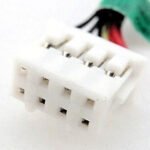
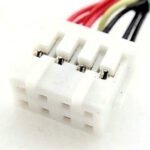
Home » Shop » HP 738683-001 DC In Power Jack Cable ProBook 640 645 G1 727812-FD1 Laptop Jack Charging Port

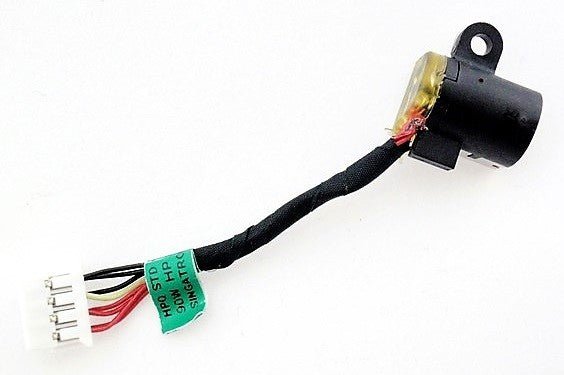
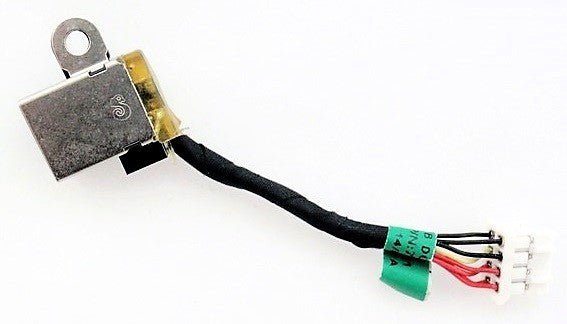
HP 738683-001 DC In Power Jack Cable ProBook 640 645 G1 727812-FD1 Laptop Jack Charging Port

699.00

Hurry, Limited Stock Available – Order Now!
FREE Delivery
Get GST TAX Invoice

Ask a Question

Error: Contact form not found.

Estimated Delivery:
17 September - 21 September
120 People viewing this product right now!
Guaranteed Safe Checkout Trues Badge
LAPTOP PARTS FINDER

Check if this part fits your laptop

Select your exact laptop model to verify compatibility before ordering.

✓ Exact model matching✓ Compatible parts✓ Fast results
Description

HP 738683-001 DC In Power Jack Cable ProBook 640 645 G1 727812-FD1 Laptop Jack Charging Port

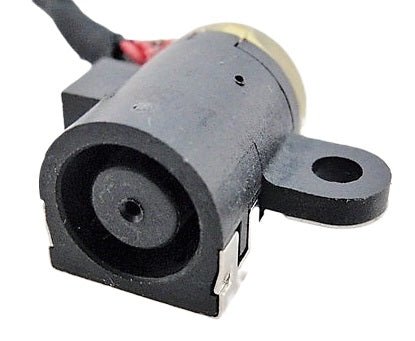
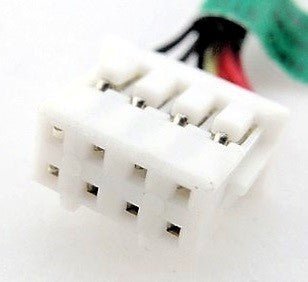
This replacement DC power jack assembly/cable is intended for compatible laptop models. It connects the laptop charging port to its internal power connection. Verify the exact laptop model before ordering.

Before ordering: Verify your exact laptop model using the compatibility finder on this page. Laptop series can contain different part configurations.

About DC Power Jack

The DC power jack, also called the charging port or power jack, is the connection through which a laptop receives power from its AC adapter.

Common Signs You May Need a Replacement

  • Intermittent charging
  • Loose charging connection
  • Charging works only at certain angles
  • Laptop does not receive adapter power
  • Visible damage around the charging port

Product Description

HP DC In Power Jack Charging Port Connector Cable ProBook 640 645 G1 640G1 645G1 736403-001 727812-YD1 727812-SD1 736403-003 727812-FD1 738683-001

Identifying symptoms of a faulty laptop power DC jack is crucial for maintaining the proper functioning of your device. Here are common signs that may indicate issues with the DC jack:

Intermittent Charging:
If your laptop charges intermittently or only when the power adapter is held at a specific angle, it suggests a loose or damaged DC jack connection.

Loose Power Connection:
A loose or wobbly power connection when the charger is plugged in can be a clear indicator of DC jack issues. The jack may no longer securely hold the power plug.

Power Cuts Out:
If the laptop frequently loses power even when the battery is charged, it could be due to a faulty DC jack disrupting the power supply.

Burning Smell:
A burning smell emanating from the laptop, especially near the power jack area, may indicate electrical issues and potential damage to the DC jack.

Visual Inspection:
Physically inspect the DC jack for any visible damage, such as bent or misaligned pins, or a cracked casing. Visual cues can provide insights into potential issues.

No Power:
If the laptop fails to power on even when the battery is charged, it may be a result of a faulty DC jack preventing the flow of power from the adapter.

Battery Not Charging:
When the laptop indicates that it’s not charging, despite being connected to the power adapter, it may signify a problem with the DC jack or the power supply connection.

Laptop Powers On Battery Only:
If the laptop only powers on when running on battery but not when connected to the power adapter, it suggests a potential issue with the DC jack or its connection to the motherboard.

Crackling Sounds:
Unusual sounds, such as crackling or sparking, may occur if there are electrical issues with the DC jack. Immediate attention is needed to avoid further damage.

Physical Damage:
Any visible physical damage to the power jack, such as a loose or broken casing, may contribute to its malfunction.

If you observe any of these symptoms, it is advisable to address the issue promptly to prevent further damage to the laptop and ensure a reliable power connection. Seeking professional assistance for DC jack repair or replacement is recommended for a comprehensive resolution.

HP DC In Power Jack Charging Port Connector Cable ProBook 640 645 G1 640G1 645G1 736403-001 727812-YD1 727812-SD1 736403-003 727812-FD1 738683-001

The laptop DC jack, also known as the power jack or charging port, is a critical component responsible for connecting the laptop to its power source. Here are key aspects of the laptop DC jack:

Purpose:
The DC jack serves as the interface through which the laptop connects to the power adapter, allowing the transfer of electrical power to charge the battery and power the device.

Location:
Typically located on the side or rear of the laptop, the DC jack is a small port where the power adapter’s plug is inserted.

Design:
The DC jack is designed to be durable and withstand the regular plugging and unplugging of the power adapter. However, due to its frequent use, it can be susceptible to wear and tear over time.

Connector Type:
The type of connector used in the DC jack varies among laptop models. Common connector types include barrel connectors and pin connectors.

Potential Issues:
Faults with the DC jack are common and may result from issues such as a loose connection, physical damage, or wear on internal components. These issues can impact the laptop’s ability to charge or power on.

Symptoms of Fault:
Symptoms of a faulty DC jack include intermittent charging, a loose power connection, power cuts, a burning smell near the jack, and difficulties in turning the laptop on.

Repair or Replacement:
If the DC jack is found to be faulty, it can often be repaired or replaced. Repairing may involve soldering or repositioning internal components, while replacement may require the installation of a new DC jack.

Preventive Measures:
To prolong the life of the DC jack, users should handle the power adapter and plug with care, avoid putting stress on the jack by pulling or tugging on the cord, and ensure proper alignment during insertion.

Professional Assistance:
If issues with the DC jack arise, seeking professional assistance is recommended for an accurate diagnosis and appropriate repair or replacement.

Understanding the importance of the laptop DC jack and being attentive to any signs of malfunction can help maintain the reliability of the laptop’s power supply and charging functionality.

HP DC In Power Jack Charging Port Connector Cable ProBook 640 645 G1 640G1 645G1 736403-001 727812-YD1 727812-SD1 736403-003 727812-FD1 738683-001

Additional Information

Product Information

BrandHP
Part TypeDC Power Jack
Part NumberRJ-HP-640-G1-738683-001
SKURJ-HP-640-G1-738683-001

Technical Attributes

Reviews (0)

Reviews

There are no reviews yet.

Only logged in customers who have purchased this product may leave a review.

Compatibility & Important Note

Compatibility & Important Note

Laptop parts can have different versions even within the same laptop series. Compatibility should be confirmed using the exact laptop model.

Use the compatibility finder: Select your brand, series and exact laptop model to see whether this product is listed as compatible.

Before Ordering

  • Verify your exact laptop model.
  • Compare the part number where available.
  • Compare connector, cable, mounting and physical configuration where relevant.
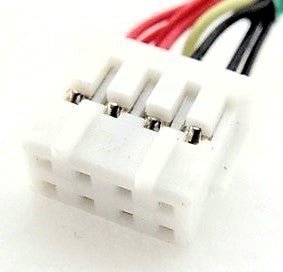
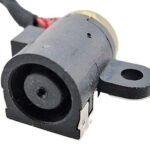
  • Review product images and the stated product contents.

Important: Do not rely only on the laptop series name. Two models in the same series may use different component versions.

If you are unsure whether this is the correct part, contact Regatech before placing your order.

Warranty

Warranty Covered

This product is covered against manufacturing defects and functional failures arising during normal and intended use within the warranty period. Warranty service may include repair or replacement of the defective product or component, at the seller's discretion.

Warranty Not Covered

The warranty does not cover:

  • Accidental damage, abuse, or negligence
  • Burnt, cut, cracked, or physically damaged products
  • Damage caused by water, fire, power surges, or other external factors
  • Improper installation, misuse, or unauthorized repairs/modifications
  • Normal wear and tear due to regular usage
  • Consumable parts and accessories, unless found defective at the time of delivery
  • Products with removed, altered, or damaged serial numbers, warranty stickers, or labels
  • Products returned in a used, damaged, or incomplete condition

Warranty Service Type

To claim warranty service, customers must contact customer support and provide proof of purchase. If the product is found to be eligible for warranty service, the customer must send the product to our service center for inspection. Upon verification, the product will be repaired or replaced and shipped back to the customer. Customers are responsible for shipping charges incurred when sending the product to the service center, while return shipping will be borne by the seller unless otherwise specified.

Documents Required

  • Valid purchase invoice or order confirmation
  • Product serial number (if applicable)
  • Images or videos of the reported issue, if requested

Warranty Type

Seller Warranty
FAQ

Frequently Asked Questions

How do I know if this DC jack fits my laptop?

Use the exact-model compatibility checker and compare the existing part where possible.

Will this fit every laptop in the same series?

Not necessarily. Laptop series can contain different configurations, so the exact model should be checked.

What does a DC power jack do?

It provides the physical electrical connection between the laptop adapter and internal power circuit.

Scroll To Top
Close
Close
Close

My Cart

Shopping cart is empty!

Continue Shopping