


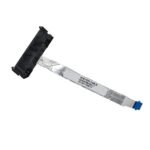
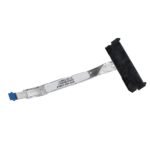
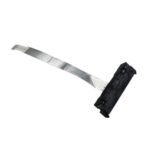
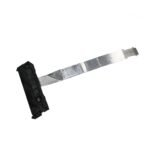
HP Pavilion 15-CS / 15-CW HDD Connector Cable
Replace a damaged or faulty HDD connector cable in a compatible HP Pavilion laptop with this replacement HDD connector cable.
This cable is associated with the following HP part numbers:
- L23889-001
- DD0G7BHD001
- DD0G7BHD011
- DD0G7BHD021
It is intended for compatible HP Pavilion 15-CS and HP Pavilion 15-CW laptop models.
The HDD connector cable provides the connection between the laptop’s storage drive and the motherboard. A damaged or faulty cable can cause intermittent storage detection or prevent the drive from being detected.
Important Compatibility Information
Laptop parts can vary between different configurations and revisions of the same laptop series.
Before ordering, please check:
- Your exact HP Pavilion model number
- The part number printed on your existing HDD cable
- The connector and cable layout
- The compatible-model list shown on this page
If your exact model is listed in our compatibility database, use the Check Compatibility tool to verify the part is associated with your laptop.
Part Numbers
Compatible / Reference Part Numbers
| Part Number |
|---|
| L23889-001 |
| DD0G7BHD001 |
| DD0G7BHD011 |
| DD0G7BHD021 |
Note: Part numbers should be compared with the original cable before ordering.
Compatible Laptop Series
This HDD connector cable is associated with compatible models within:
- HP Pavilion 15-CS
- HP Pavilion 15-CW
Check Your Exact Model
Because different configurations can use different components, compatibility should be confirmed using your exact laptop model, not just the Pavilion series name.
Use the compatibility checker above to select:
Brand → Series → Exact Model
Product Specifications
| Specification | Details |
|---|---|
| Product Type | HDD Connector Cable |
| Brand Compatibility | HP |
| Laptop Series | Pavilion 15-CS / 15-CW |
| Main Part Number | L23889-001 |
| Alternate Part Numbers | DD0G7BHD001, DD0G7BHD011, DD0G7BHD021 |
| Application | Laptop HDD / Storage Drive Connection |
| Replacement Type | Replacement Part |
| Compatibility | Check exact laptop model |
| Condition | New Replacement |
Why Replace the HDD Connector Cable?
A damaged HDD connector cable may result in:
- HDD or storage drive not being detected
- Intermittent storage connection
- Storage connection dropping during use
- Physical damage to the original cable
- Damaged or loose connector
- A cable that no longer makes a reliable connection
However, storage detection problems can also be caused by the drive, motherboard connector, BIOS settings or other hardware issues. Replacing the cable will not necessarily resolve every storage-related problem.
Before You Order
Please make sure that:
1. Your laptop is an HP Pavilion 15-CS or 15-CW compatible model.
2. The part number on your existing cable matches one of the reference numbers listed above.
3. The connector and cable arrangement match the product photographs.
4. Your exact laptop model appears in the compatibility list.
Not sure which model you have?
Use our Laptop Compatibility Finder and select:
HP → Pavilion 15-CS / 15-CW → Your Exact Model
This helps you verify compatibility before placing your order.
FAQ
Is this an HDD connector cable for HP Pavilion 15-CS?
This cable is intended for compatible HP Pavilion 15-CS models. Please check your exact model and the part number on your existing cable before ordering.
Is this HDD cable compatible with HP Pavilion 15-CW?
It is associated with compatible HP Pavilion 15-CW models. Exact compatibility should be confirmed using your laptop model and the compatibility list on this page.
What is the part number of this HP HDD cable?
The main part number is L23889-001. Related part numbers include DD0G7BHD001, DD0G7BHD011 and DD0G7BHD021.
How can I check whether this cable fits my laptop?
Check your exact laptop model and compare the part number on your original HDD cable. You can also use the Laptop Compatibility Finder on this page.
My HDD is not detected. Do I need to replace this cable?
Not necessarily. An undetected HDD can be caused by the HDD/SSD itself, cable, connector, motherboard, BIOS settings or another hardware problem. Check the connections and diagnose the problem before replacing the cable.
Should I check the part number before ordering?
Yes. Comparing the part number printed on your existing cable is one of the best ways to help verify that you are ordering the correct replacement.

Reviews
There are no reviews yet.